Nvim Install Nerd Fonts
Anytime I’m setting my neovim setup on a new machine I’m struggling with the same thing again and again. The nicely looking icons are not there! Then it’s back to the usual, search google, ask chat, finally, download the nerd fonts zip file, unpack it and have them back :) All super easy, but I’d rather not waste the precious power of Jeff’s Bezon GPUs on such a trivial issue. So, let’s end it once and for all.
Find your font#
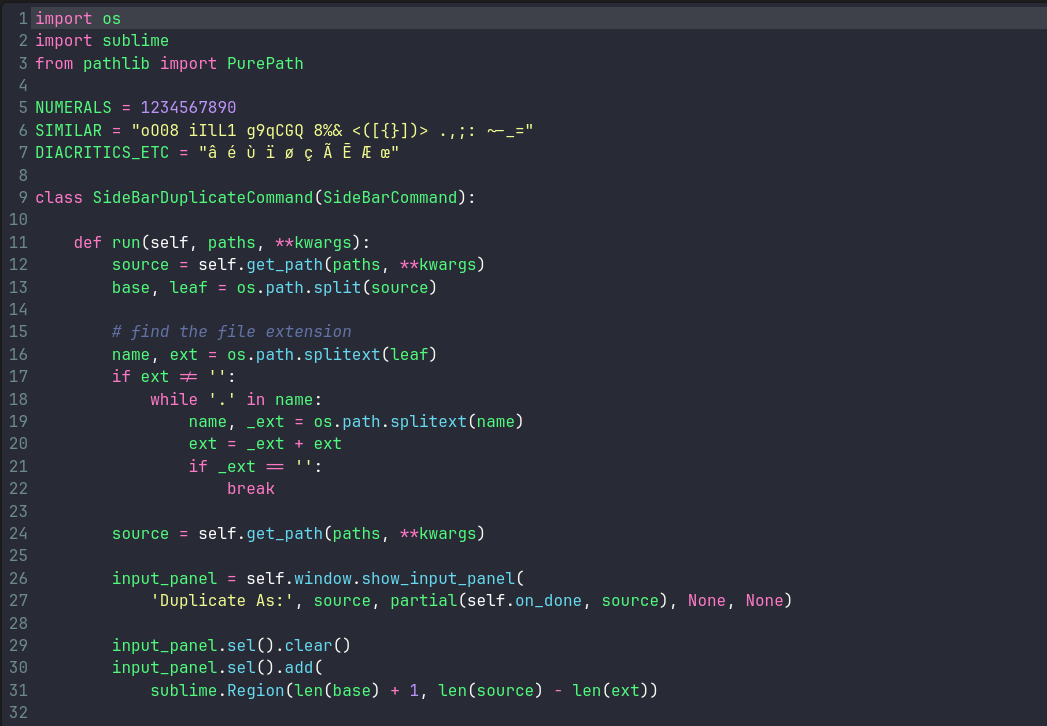
The nerd fonts gallery is hosted at nerdfonts.com, find your favorite, my default is the JetBrainsMono Nerd Font, here’s the preview:
Fonts Setup#
Download your font’s ZIP file and unpack it to ~/.local/share/fonts, you might need to create it first if it’s your first nvim setup on this machine.
mkdir -p ~/.local/share/fonts
Is there anything cooler than a big one-liner that does it all?
tmpfile=$(mktemp) \
&& wget -qO "$tmpfile" https://github.com/ryanoasis/nerd-fonts/releases/download/v3.4.0/JetBrainsMono.zip \
&& unzip -q "$tmpfile" -d ~/.local/share/fonts \
&& rm "$tmpfile" \
&& fc-cache -fv
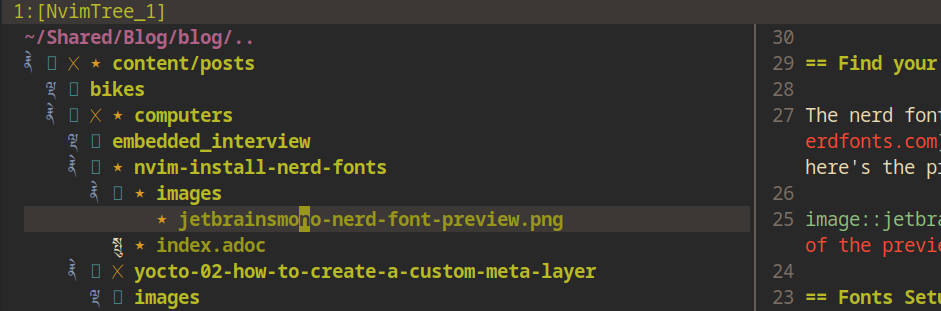
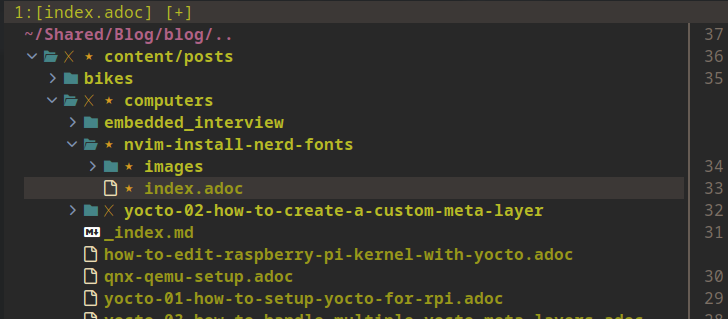
All right, so that’s it. Restart your terminal, open neovim and if the right configuration is there already, you should see what I see:
BEFORE
AFTER
Problems?#
The icons are still all messed up? Well, then you might need to logout and log back again. That’s what helped me! My neovim config does not even specify a font name to use, all is set to auto. It’s in the operating systems duty to provide the fonts to konsole (or whatever else you use), sometimes the OS needs to reload or relogin to make those work.
Thanks#
for checking this out, leave a comment or go read some of my other posts :)